Presens Node Operator Guide: Activate Your Pulse Node
Eligibility checklist, task flow, and safe-link verification for this campaign.
Install "Listen to Article" to read this page out loud in Chrome.
Prefer not to install? Use your browser's built-in Read Aloud if available.
Want the fastest “set-and-forget” DePIN grind right now? Activate a Presens Pulse Node (their lightweight web app node), complete a few starter actions, and lock in an early position before broader onboarding waves. The key move: use the referral code SENS-VOQ5YOV during setup to snag a bonus and start with an edge. We’ll keep this review-first and focused on what actually matters: time, friction, and realistic upside.
This airdrop guide was reviewed by the AirdropBuzz research team, who have completed dozens of Solana and DeFi airdrops.

I'm Dhiraj Dixit, founder of AirdropBuzz. I personally research and complete airdrops before publishing these guides.
Airdrop quick facts
What does this score mean? See the scoring methodology.

Step-by-Step Carousel
Swipe through steps quickly: Step 1, Step 2, Step 3 and more.
Look for an “Invite/Referral Code” field during signup or in your profile/settings area. Paste it exactly.
| Time Required | Cost | Risk Level | Our Verdict |
|---|---|---|---|
| Low (setup once, then light daily upkeep) | $0 | Low–Medium (location permissions + data/privacy comfort) | Worth it if you’re okay sharing anonymous presence signals and want a low-effort DePIN position early. |
| UX Score (/10) | Earning Potential | Reward Certainty |
|---|---|---|
| 8/10 | Medium | Speculative |
What is Presens Network?
Presens Network is a time-location DePIN layer that turns anonymous presence signals from everyday devices into spatiotemporal data for AI and robotics. In practice, you “run a node” by installing their Progressive Web App (PWA) that acts as a Pulse Node, generating privacy-first time-location signals and contributing to network coverage. Presens describes the system as modular: signals are captured at the edge, anonymized/hashed, aggregated, then validated to reduce spoofing and low-quality data before rewards are calculated.
Leadership is not anonymous: Presens publicly lists Shaun Sung as Founder. The broader team is presented across official team pages and docs, with operations and community roles shown as well. Token-wise, Presens positions $SENS as the utility token used to align incentives (operators earn for validated contributions; developers spend to access datasets/APIs). Full tokenomics and allocations are TBA closer to TGE, so treat the upside as potential, not guaranteed.
Our Experience Joining Presens
The AirdropBuzz Team approached Presens the way most readers will: speed-first and time-boxed. The official install flow is straightforward because it’s a PWA—no hardware, no downloads, and it can be added to your home screen in seconds. The main “gotchas” we saw weren’t technical; they were operational: choosing the available onboarding server, avoiding duplicate signups across servers, and getting your device permissions (especially location/background behavior) to behave consistently.
If you’ve done other mobile DePIN apps, the pattern is familiar: install → activate → keep it running → do light tasks → optionally refer friends. The single most important optimization here is entering the referral code early so you don’t forget it later.
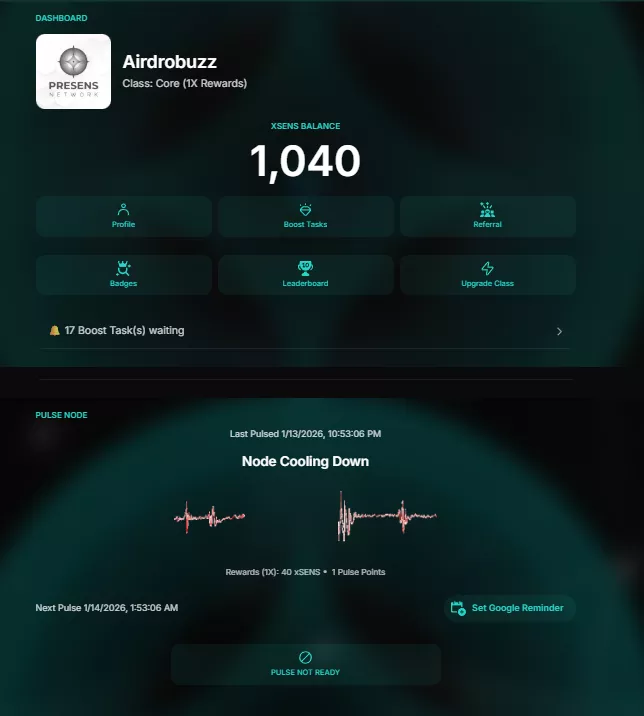
Time vs Reward: Is SENS Worth It?
Here’s the honest take: Presens is a low-grind, “ambient” airdrop-style farm. You’re not bridging ten chains or looping swaps all day. You’re mostly betting that early network participation + multipliers will matter later.
- Setup time: ~10–20 minutes (install + account + permissions + activation + referral code).
- Daily upkeep: ~1–3 minutes/day (quick check-in, ensure it’s active, knock out any lightweight tasks).
- Scaling effort: minimal, unless you start chasing tiers/multipliers.
Our grind test (realistic effort model):
| Routine | Time Cost | Why it matters |
|---|---|---|
| Install + activate Pulse Node | 10–20 mins once | Gets you into the system and eligible for early participation. |
| Daily “alive check” + micro tasks | 1–3 mins/day | Keeps your contribution steady and avoids silent downtime. |
| Weekly optimization (permissions, battery, tier progress) | 10–15 mins/week | Prevents your phone from “helpfully” killing background activity and improves consistency. |
What makes Presens attractive (and what doesn’t):
- Good: software-only node, fast onboarding, and the docs describe multiple Pulse Node classes (Core → Elite/Prime variants) with multipliers and cooldown efficiency—without requiring fiat payment at the time of writing.
- Neutral: rewards are framed around early epochs, tasks, achievements, and tier multipliers—so consistency beats “one-time” activity.
- Not great: reward certainty is still speculative until token distribution mechanics and final tokenomics are published.
Our verdict: If you want a low-maintenance DePIN position with a clear “early operator” narrative, Presens passes the time-vs-reward test. Just don’t over-invest emotionally: treat it like a lightweight farm and let compounding consistency do the work.
Risks & Things to Watch
- Permissions risk: You may be asked for location-related permissions. Only proceed if you’re comfortable. Review what you grant and revoke anything you don’t need.
- Privacy assumptions: Presens describes signals as anonymized/hashed and aggregated, not tied to personal identity. Still: DYOR and read their materials before you commit long-term.
- Device performance: Background behavior can impact battery/data usage. Expect some tuning (battery optimization exclusions, keeping the PWA accessible).
- Anti-spoofing: DePIN presence networks typically discourage VPN/location spoofing. If validation flags you, you can lose progress or eligibility.
- Server onboarding status: Presens has shown multiple servers with different onboarding availability. Don’t waste time trying to join a closed server—use the one marked available.
- Speculative rewards: Tokenomics/allocations are TBA. Never assume a guaranteed payout.
Step-by-Step Guide: How to Join Presens
Reminder: Don’t create duplicate accounts across servers to “game” referrals—projects often restrict that behavior. One solid, consistent node beats messy multi-account risk.
Ready to activate Presens? Use our bonus code before you forget: SENS-VOQ5YOV
Referral Disclosure: We may earn points if you use our link.
FAQ: Presens Node Operator
Is Presens free to join?
Yes. Presens is positioned as a software-only Pulse Node (PWA) with no required hardware and no fiat payment needed at the time of writing. Your “cost” is mainly time, battery/data, and whatever permissions you choose to grant.
Where do I enter the referral code SENS-VOQ5YOV?
Enter SENS-VOQ5YOV during signup if you see an Invite/Referral Code field. If you already created an account, check your profile/settings area inside the app for a place to add or edit a referral code.
Are SENS rewards confirmed?
Presens presents $SENS as the network’s utility token and describes operator rewards tied to validated contributions, tasks, and multipliers. However, final tokenomics/allocations and distribution specifics are still TBA, so treat earnings as speculative and do your own research.
When is the snapshot or TGE?
TBA. If you see exact dates circulating on social media, don’t treat them as official unless Presens publishes them directly in their docs or official channels.
Can I run Presens on multiple devices?
Some networks allow multiple devices under one user, but many restrict duplicate signups or suspicious patterns. If you expand beyond one device, do it conservatively and follow Presens’ rules to avoid eligibility issues.
Direct link to official project page
Get curated airdrop updates
Weekly AirdropBuzz highlights, safety notes, and top picks-no spam.
Explore Airdrop Lists
Community Discussion & Rating
Leave a Comment & Rate
No comments yet. Be the first to share your thoughts!